The $1.8 Trillion Opportunity: Shifting from CapEx to OpEx in End-User Computing
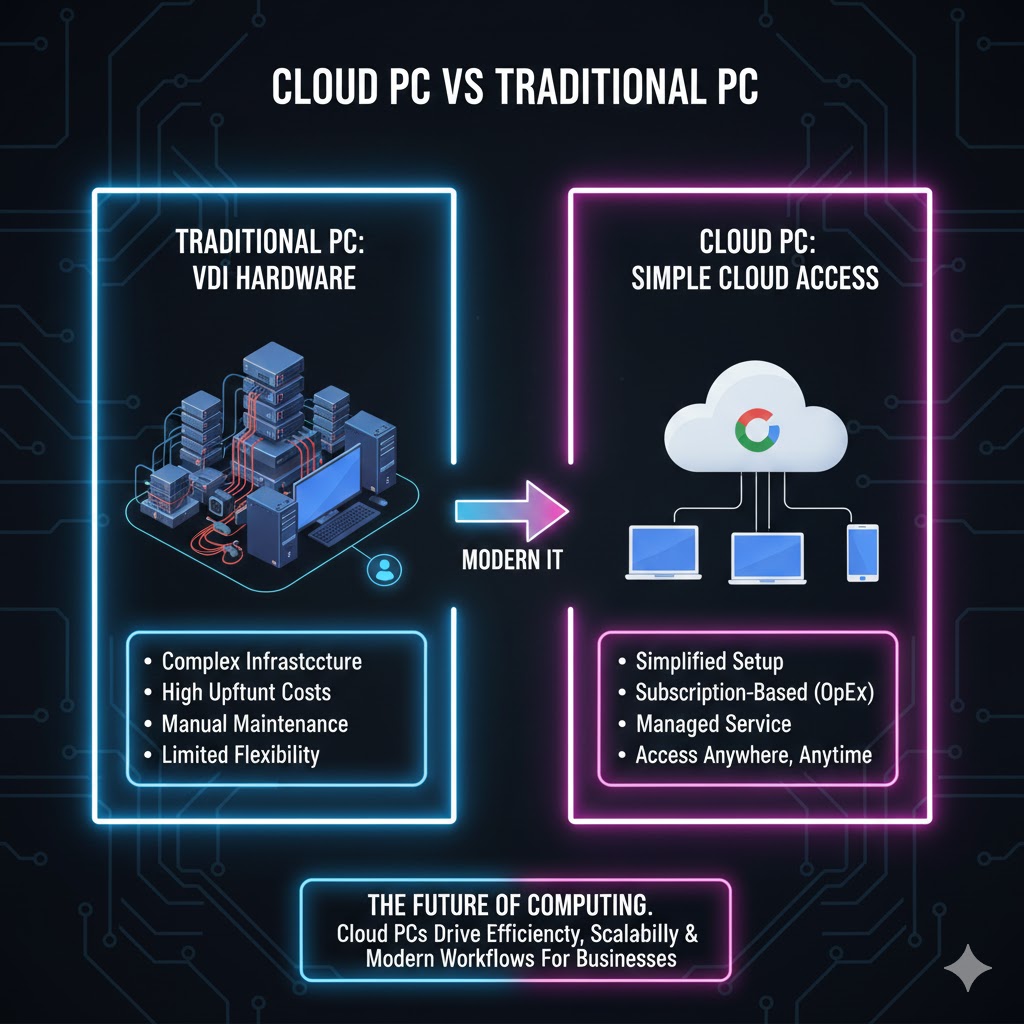
The era of the heavy, fixed-asset Traditional PC dominating the enterprise is nearing its end. A structural transformation in end-user computing is underway, driven by the emergence of the Cloud PC (Desktop-as-a-Service, DaaS) model. Cloud PCs virtualize the operating system, applications, and data, hosting them entirely within a hyperscale cloud environment (e.g., Microsoft Azure, AWS, Google Cloud).1 This fundamental shift moves IT spending from volatile Capital Expenditures (CapEx) to predictable Operational Expenditures (OpEx), directly impacting enterprise IT Budgets, enhancing security, and enabling the modern “work from anywhere” model. By 2025, Gartner projected that over 51% of IT spending in key market segments would shift from traditional solutions to the public cloud, underscoring the massive market opportunity at stake, nearing $1.8 Trillion in spending 2.4.2
1. Architectural Evolution: Cloud PC vs. Traditional VDI
The Cloud PC model is the natural evolution of Virtual Desktop Infrastructure (VDI), simplifying management and accelerating time-to-value for enterprises.
The Pain Points of Traditional VDI
Traditional VDI requires massive, often complex, on-premises infrastructure:3
-
High CapEx Barrier: Large upfront investment in servers, storage, networking hardware, and perpetual VDI software licenses 2.3, 4.1.4
-
Management Overhead: The organization’s IT team bears the responsibility for managing and maintaining the underlying infrastructure (patching, scaling, and disaster recovery) 2.3, 4.1.5
-
Inflexible Scaling: Scaling often requires purchasing and deploying new hardware, leading to potential over-provisioning or under-utilization.6
The Cloud PC (DaaS) Advantage: Managed Simplicity
Cloud PC solutions (like Microsoft Windows 365 or Amazon WorkSpaces) address these pain points by offering a fully managed, turnkey service.7
-
Turnkey Infrastructure: The cloud provider handles all the underlying infrastructure, operating system patching, and scaling 2.3, 4.1.8 This eliminates the CapEx burden entirely.9
-
Persistent Personalization: Unlike some older VDI models, Cloud PCs offer a persistent, dedicated virtual desktop for each user, providing a consistent, high-performance computing experience that mimics a local physical PC 2.3.10
-
Seamless Integration: Solutions are deeply integrated with existing enterprise platforms, such as Microsoft 365, enhancing collaboration and security visibility 2.3.11
2. Total Cost of Ownership (TCO) Analysis: The Budgetary Impact
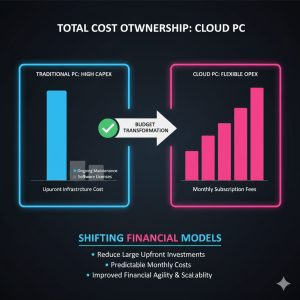
The shift to Cloud PC fundamentally alters the Total Cost of Ownership (TCO) equation, moving costs from fixed, lumpy investments to flexible, per-user monthly rates.12
Traditional PC TCO: The Hidden Costs of CapEx
In the traditional model, TCO is dominated by sunk hardware costs and long-term maintenance:
-
Hardware Acquisition: Significant upfront cost for purchasing physical devices (desktop towers, laptops) that rapidly depreciate 3.2.
-
Lifecycle Management: Costs associated with deploying, patching, upgrading, and finally disposing of hardware, typically on a 3-5 year cycle.
-
Software Licensing: Per-device operating system and application licensing.13
Cloud PC TCO: OpEx Dominance and Cost Flexibility
The Cloud PC model offers a lower TCO for many organizations by optimizing resource allocation and reducing labor costs.14
| Cost Factor | Traditional PC (CapEx Model) | Cloud PC (OpEx/DaaS Model) | Impact on IT Budget |
| Hardware Acquisition | High upfront cost ($600 – $1500 per unit) 3.2. | Zero (Endpoint devices can be lower-cost thin clients) 3.4. | Shifts from CapEx to OpEx. |
| IT Management Labor | High cost for desktop support, patching, and physical maintenance. | Significantly Reduced; managed by the provider. IT staff refocuses on strategic tasks 3.2. | Major labor cost savings. |
| Scalability & Elasticity | Requires over-provisioning (buying extra hardware for peak demand). | Pay-as-you-go; scale up or down dynamically based on user needs (e.g., contractors, seasonal workers) 3.3. | Eliminates hardware waste and overspending. |
| Disaster Recovery (DR) | Requires complex, expensive redundant local infrastructure 3.2. | Included in the service; highly resilient cloud infrastructure 2.3. | Reduces DR CapEx and complexity. |
Cloud desktops deliver further savings of over 20% compared to on-premises VDI, primarily by eliminating the high upfront infrastructure investment 3.4.15 The ability to pay only for resources consumed is the key financial advantage 3.3.16
3. The Operational Impact: Security, Agility, and Remote Work
Beyond budget savings, the Cloud PC model fundamentally improves security posture and enhances operational agility, which is vital for modern global enterprises.
Enhanced Security and Compliance
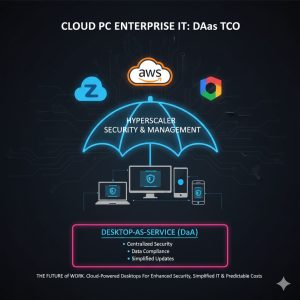
By centralizing the desktop environment in the cloud, the risk surface area is dramatically reduced.17
-
Centralized Data: Sensitive corporate data never resides on the physical endpoint device.18 If a laptop is lost or stolen, the data remains securely in the cloud data center 4.2.19
-
Robust Security Tools: Cloud PC solutions leverage the hyperscalers’ robust, always-on security measures, including advanced encryption, access controls, and compliance certifications, which are often too expensive or complex for individual enterprises to maintain locally 3.2, 4.4.20
-
Zero Trust Architecture (ZTA): Cloud PCs natively support Zero Trust principles, ensuring that access to the desktop environment and corporate resources is strictly verified regardless of the user’s location or device 5.3.21
Enabling the “Work from Anywhere” Model
The rise of remote and hybrid work, accelerated by global events, has made the Cloud PC indispensable.22
-
Device Agnosticism (BYOD): Employees can access their fully customized, high-performance desktop from virtually any device (cheap laptops, tablets, thin clients), promoting Bring Your Own Device (BYOD) strategies 4.2.23
-
Accessibility and Business Continuity: The ability to log into a secure, consistent workspace from anywhere with an internet connection ensures business continuity during disruptions and supports global staffing models 4.3, 4.4.24
4. The Competition Landscape: Hyperscalers Lead the Charge
The Cloud PC ecosystem is dominated by the major hyperscale cloud providers, who leverage their existing infrastructure, developer tools, and enterprise relationships.
| Major Player | Cloud PC Offering | Core Strategy & Integration |
| Microsoft | Windows 365 (Cloud PC) | Deep integration with Microsoft 365, Azure, and Intune (Device Management). Leveraging their dominance in the enterprise OS market. |
| Amazon Web Services (AWS) | Amazon WorkSpaces | Utilizes AWS’s global infrastructure reach (30%+ market share) and provides integration with other AWS services. Focus on flexibility and scalability 5.1. |
| Google Cloud (GCP) | Google Cloud Desktop (via Partners) | Primarily partners with third-party VDI/DaaS providers (e.g., Citrix, VMware) to deliver a Cloud PC experience on its high-performance network 5.1. |
Microsoft is uniquely positioned due to its ownership of the Windows OS, which makes Windows 365 a seamless and compelling offering for existing enterprise customers. However, AWS and GCP offer strong alternatives, particularly for organizations already heavily invested in their respective cloud ecosystems.
5. Final Verdict: The Cloud-Smart Mandate for CIOs
The transition from Traditional PCs to the Cloud PC is an irreversible macro-trend driven by financial necessity (OpEx flexibility), security mandate (centralized data), and operational requirement (remote work enablement). For CIOs, the mandate has shifted from managing physical assets to orchestrating cloud resources.
The key to maximizing the TCO benefit is rigorous FinOps (Cloud Financial Operations)—managing usage and rightsizing virtual machines to avoid waste, a known challenge where cloud waste can average 32% of budgets 1.3.25 The successful enterprise of the future will adopt a “Cloud-Smart” strategy, moving elastic, remote, or high-security workloads to the Cloud PC while potentially keeping specialized, low-latency applications on a modern, optimized local infrastructure (Hybrid Cloud) 3.1. This approach ensures maximum agility while controlling the pay-as-you-go meter.
REALUSESCORE.COM Analysis Scores
| Evaluation Metric | Score (Out of 10.0) | Note/Rationale |
| TCO Reduction Potential (CapEx to OpEx) | 9.7 | Shifts large upfront costs, achieving up to 20% savings over on-prem VDI 3.4. |
| Security & Data Centralization | 9.8 | Removes sensitive data from endpoints; leverages hyperscaler security protocols 4.2. |
| Agility & Remote Work Enablement | 9.9 | Essential for BYOD and business continuity in the hybrid work era 4.4. |
| IT Management Complexity Reduction | 9.6 | Cloud provider manages infrastructure, freeing internal IT for strategic work 2.3. |
| Cloud Waste/FinOps Challenge | 7.5 | Risk of high operational costs (OpEx) if resources are not tightly managed (32% average waste) 1.3. |
| REALUSESCORE.COM FINAL SCORE | 9.5 / 10 | The Cloud PC represents a fundamental, highly beneficial structural shift in end-user computing, driven by cost efficiency and remote work requirements. |