

Digital is great for storage and convenience, but your ears don’t speak 1s and 0s. They speak in waves. That’s where the unsung hero of your sound system comes in: the DAC. If you’ve ever wondered why your high-end headphones sound a bit “blah” straight out of your computer, or what that sleek little box is supposed to do, this guide is for you. We’re going to decode the DAC (Digital-to-Analog Converter) in the simplest terms possible, proving that upgrading your audio isn’t complicated—it’s just a matter of connection.
1. The Essential Translation: From Code to Sound Wave
Every song you stream, download, or play from a CD is stored as digital data—a long series of numerical code. Our brains and ears, however, can only understand analog sound waves, the continuous vibrations that travel through the air. The DAC is the critical interpreter that bridges this gap.
The Analogy: Connecting the Dots
Think of a digital audio file like a dot-to-dot puzzle. The code (1s and 0s) is just a list of coordinates (the dots). If you play those dots directly, you get choppy, harsh noise.
- The DAC’s Job: The DAC’s job is like drawing the smooth, continuous, curved lines between those dots. It takes the discrete digital snapshots of the music and “stitches” them back together into a smooth electrical analog signal—a waveform that your speakers or headphones can actually turn into physical sound.
- The Problem with Built-in DACs: Every device that plays digital sound (your phone, your laptop, your smart TV) already has a DAC built into its chip. But these built-in units are often tiny, cheap, and surrounded by noisy electrical components, like a rushed barista making your coffee next to a loud blender. They often create a less accurate, “jagged” sound wave.

2. Why an External DAC is the “Game Changer” Upgrade
Since all your devices have a DAC, why buy a separate one? The answer is simple: Quality and Isolation. External DACs are engineered specifically to do one job perfectly: creating a pure, accurate analog signal.
The Benefits of Going External
An external USB DAC bypasses the subpar, noisy internal components of your source device and handles the conversion outside the case.
- Cleaner Power, Less “Jitter”: Internal DACs share power with the entire computer, leading to electrical interference (noise). External DACs use their own dedicated, cleaner power supply and a much more precise internal clock. This precision reduces something called “jitter,” which is essentially timing error in the conversion. Less jitter means a clearer, more focused sound.
- Support for Hi-Res Audio: Modern high-quality DACs are built to handle high-resolution audio files (like FLAC or Tidal Masters) with higher bit depths (e.g., 24-bit/192kHz). Your laptop’s built-in DAC might struggle or simply downsample these files, meaning you’re not getting the full detail you paid for. A dedicated DAC lets you hear the music as the recording engineer intended.
- Built-in Headphone Amplifier (DAC/Amp Combos): Many external DACs are actually combo units, meaning they include a powerful headphone amplifier. If you own high-end or high-impedance headphones, the internal amplifier on your phone or computer simply can’t provide enough volume or control. The DAC/Amp combo solves both problems at once, giving your headphones the “gas” they need to deliver powerful bass and crisp highs.
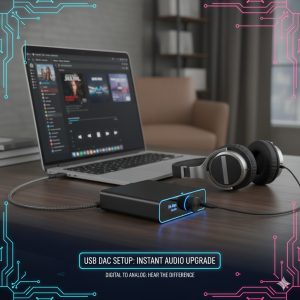
3. Top Picks: The Three Types of DACs for Every Dad
You don’t need to spend a fortune to notice a massive improvement. Here are the three main types of DACs that professionals and enthusiasts recommend.
1. The Stick DAC (The Starter)
- What it is: A device the size of a USB flash drive (like the AudioQuest DragonFly).
- The Feel: Plugs directly into your phone or laptop. It’s affordable, portable, and the perfect first step to realizing the potential of your existing headphones.
- Best for: Commuting, travel, and instant plug-and-play clarity.
2. The Portable DAC/Amp (The Mid-Ranger)
- What it is: A small box (like the Chord Mojo or iFi Hip-DAC) about the size of a deck of cards.
- The Feel: Features a rechargeable battery and dedicated inputs/outputs. It offers significantly more power and cleaner sound than a Stick DAC.
- Best for: Driving high-impedance headphones (like Sennheiser HD 650s) and providing an amazing listening experience anywhere.
3. The Desktop DAC (The Centerpiece)
- What it is: A full-sized box (like the Schiit Modi or Topping D-series) that sits on your desk.
- The Feel: Requires wall power and often has multiple inputs (USB, Optical, Coaxial) to connect to everything from your PC to your old CD player. Provides the most detail and lowest noise floor.
- Best for: Home office setups and connecting to a dedicated stereo system.

REALUSESCORE.COM Analysis Scores
| Feature | Stick DAC (e.g., DragonFly) | Portable DAC/Amp (e.g., Mojo) | Desktop DAC (e.g., Modi) |
| Sound Quality Improvement | 3.5/5 (Good Clarity Boost) | 4.5/5 (High Detail & Power) | 5/5 (Pristine Conversion) |
| Portability & Convenience | 5/5 (Pocket Sized) | 4/5 (Battery Powered) | 2/5 (Fixed Location) |
| Headphone Driving Power | 2/5 (Entry-Level) | 4.5/5 (Pro-Headphone Ready) | 3/5 (Varies; Often Needs Amp) |
| Value for Money | 4/5 | 4/5 | 4.5/5 |