
A Simple Guide to Easy Setup and Next-Gen Performance
If your home Wi-Fi feels sluggish—buffering Netflix shows, dropping video calls, or leaving dead zones—it’s time for an upgrade. The TP-Link Archer AX21 is one of the most popular and affordable WiFi 6 Routers on the market, offering modern speed without the complexity or high price tag of flagship models. This guide is built specifically for users who want fast, reliable internet without spending an afternoon wrestling with complicated settings. We’ll show you how to get set up quickly, explain the real-world benefits of WiFi 6 Router technology, and discuss your options for a future-proof network.
1. The Simple Easy Setup Guide: Ditching the CD and PC
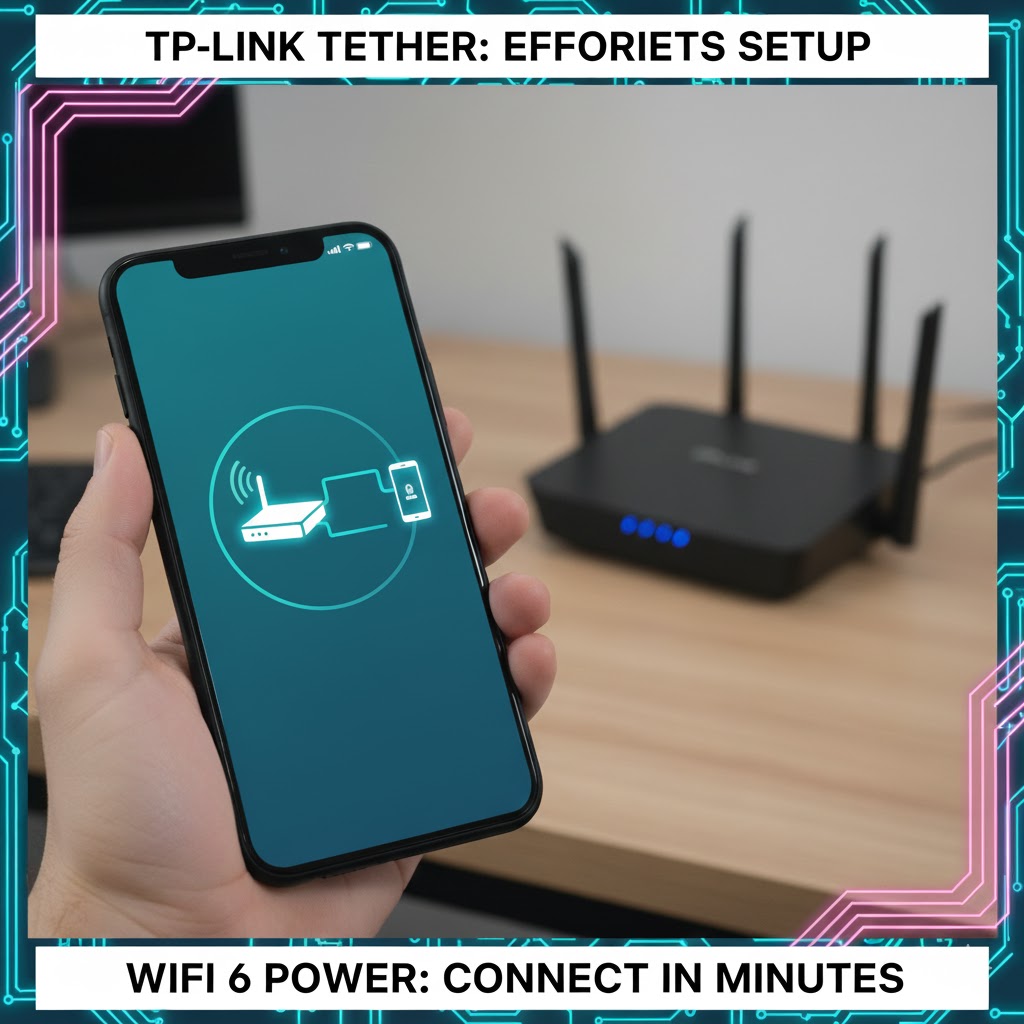
Gone are the days of fumbling with tiny configuration CDs or confusing browser interfaces. The Archer AX21 makes installation painless using the TP-Link Tether App.
Step-by-Step Installation
-
Unplug and Connect: First, unplug your old router and modem completely. Connect the modem to the Archer AX21’s blue WAN port using an Ethernet cable. Plug both the modem and the new router back in and wait for all the lights to stabilize.
-
Download the App: On your smartphone or tablet (the device you use most!), download the free TP-Link Tether App.
-
The Quick Wizard: Open the app and select the AX21 model. The app will immediately guide you through creating a secure Wi-Fi name (SSID) and password. It takes care of all the technical details in the background. Tip: When choosing your Wi-Fi name and password, write them down! You’ll need them for every device in your house.
-
Enjoy: Once the app confirms the setup is complete (usually 5–10 minutes), your new WiFi 6 Router is ready to go.
🟪 Ultimate home network upgrade guide
2. Speed and Performance: Why WiFi 6 Router Technology Matters
The Archer AX21 uses the latest Wi-Fi 6 (802.11ax) standard. This isn’t just about making one device faster; it’s about making your entire network smarter and more efficient.
Handling the Household Load (OFDMA)
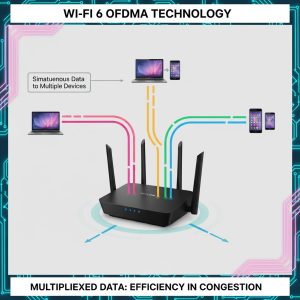
If you have a modern home, you likely have 20 or more Wi-Fi-connected devices: phones, smart TVs, smart speakers, security cameras, tablets, and gaming consoles. Older routers struggle to manage all those requests simultaneously.
-
The Analogy: Think of an older router as a single-lane highway. Every device has to wait its turn. WiFi 6 Router technology, thanks to a feature called OFDMA, turns that into a four-lane highway. The router can bundle multiple small data requests into one transmission, making the process far more organized and eliminating network slowdowns when everyone is streaming at once.
-
Real-World Speed: The AX21 provides speeds up to 1.8 Gbps (1,800 Mbps). While you might not subscribe to speeds that high, this internal capacity ensures zero lag between your devices and the router. Streaming a 4K movie while someone else plays an online game becomes smooth and effortless.
3. Future-Proofing and Upgrade Options
The AX21 is an excellent standalone WiFi 6 Router, but it also offers features that allow for simple and affordable network expansion if you have a larger house or stubborn dead zones.
Seamless Coverage with OneMesh
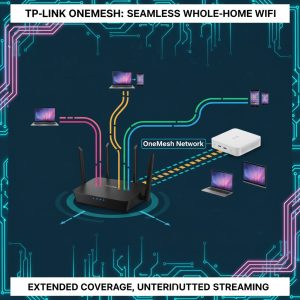
If you find that one corner of your home still suffers from slow speeds, you don’t need to buy a whole new, expensive mesh system. The Archer AX21 supports TP-Link’s OneMesh system.
-
How it Works: You can purchase a simple TP-Link OneMesh Range Extender (like the RE505X) and pair it with the AX21. The router and the extender then work together as one seamless network, automatically handing off your device connection to the strongest signal as you walk around the house. You won’t have to manually switch networks (like “Wi-Fi North” or “Wi-Fi South”).
-
Security Bonus (WPA3): The AX21 supports WPA3, the latest security protocol. This is like getting a brand new, higher-security lock for your network, making it harder for unauthorized devices to sneak in.
REALUSESCORE.COM Analysis Scores
| Feature | Score (Out of 5.0) | Analysis for the 40-50 Age Group |
| Setup Simplicity | 5.0 | The Tether App makes setup truly beginner-friendly; no complex browser configuration needed. |
| Reliable Coverage | 4.0 | Excellent coverage for small to medium-sized homes; great stability even under heavy load. |
| Value for WiFi 6 | 4.8 | One of the most affordable ways to get the latest Wi-Fi 6 technology and speed benefits. |
| Upgrade Potential | 4.5 | Supports OneMesh, allowing easy, affordable expansion without buying a whole new system. |
| Security (WPA3) | 4.5 | Includes the latest security protocol, providing peace of mind for the home network. |